Clean Nozzle
Here you can find the instructions how to clean the Nozzle of your Belt printer, follow along step by step.
1. Heat the printer to 220 Degrees Celcius.
Tap on the temperature behind "Extruder", enter 220 and click the checkbox to confirm.
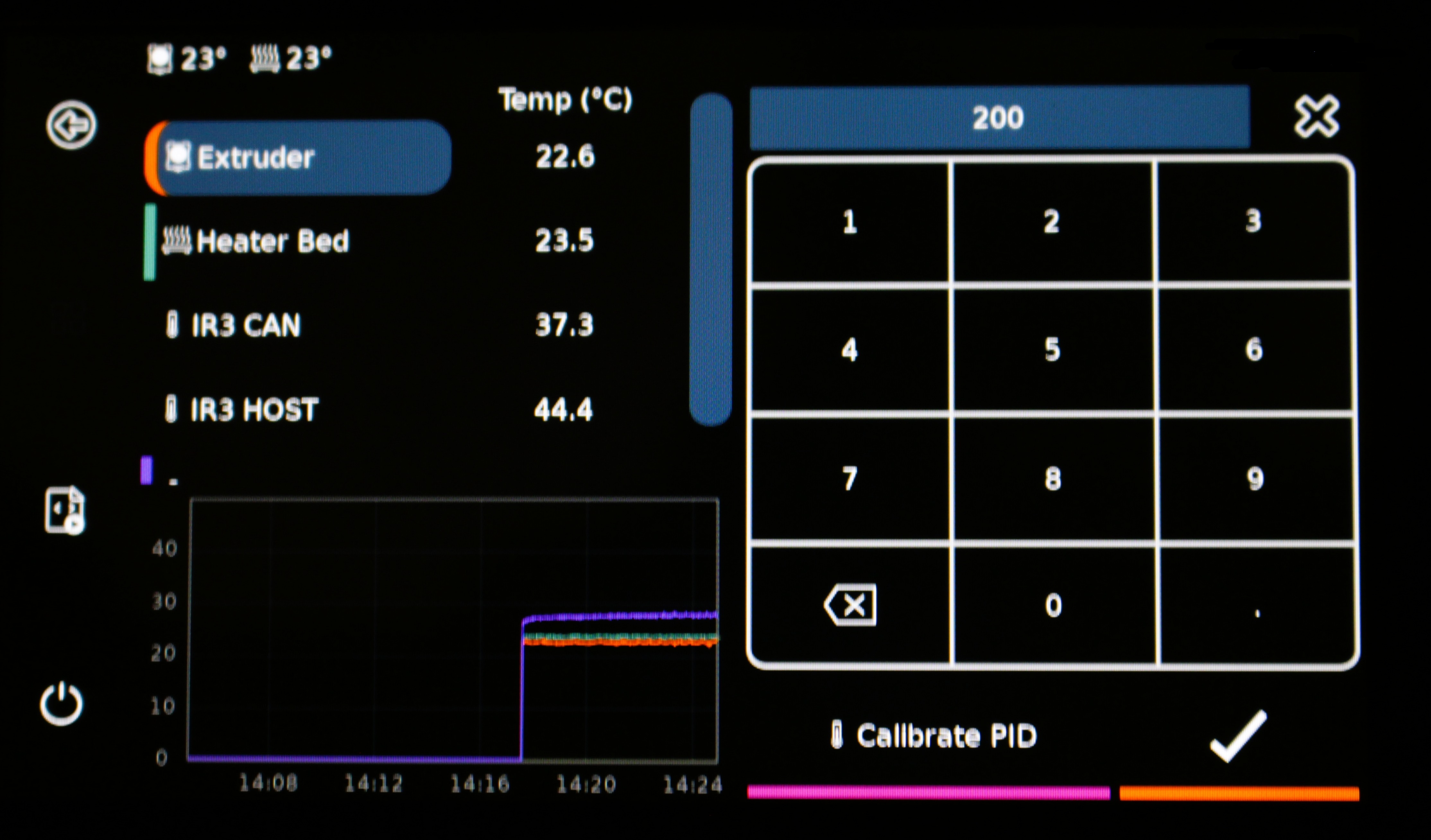
2. Move the extruder up, so you can reach the Nozzle.
Go to the screen of your printer, and tap the following buttons:
- Click on More
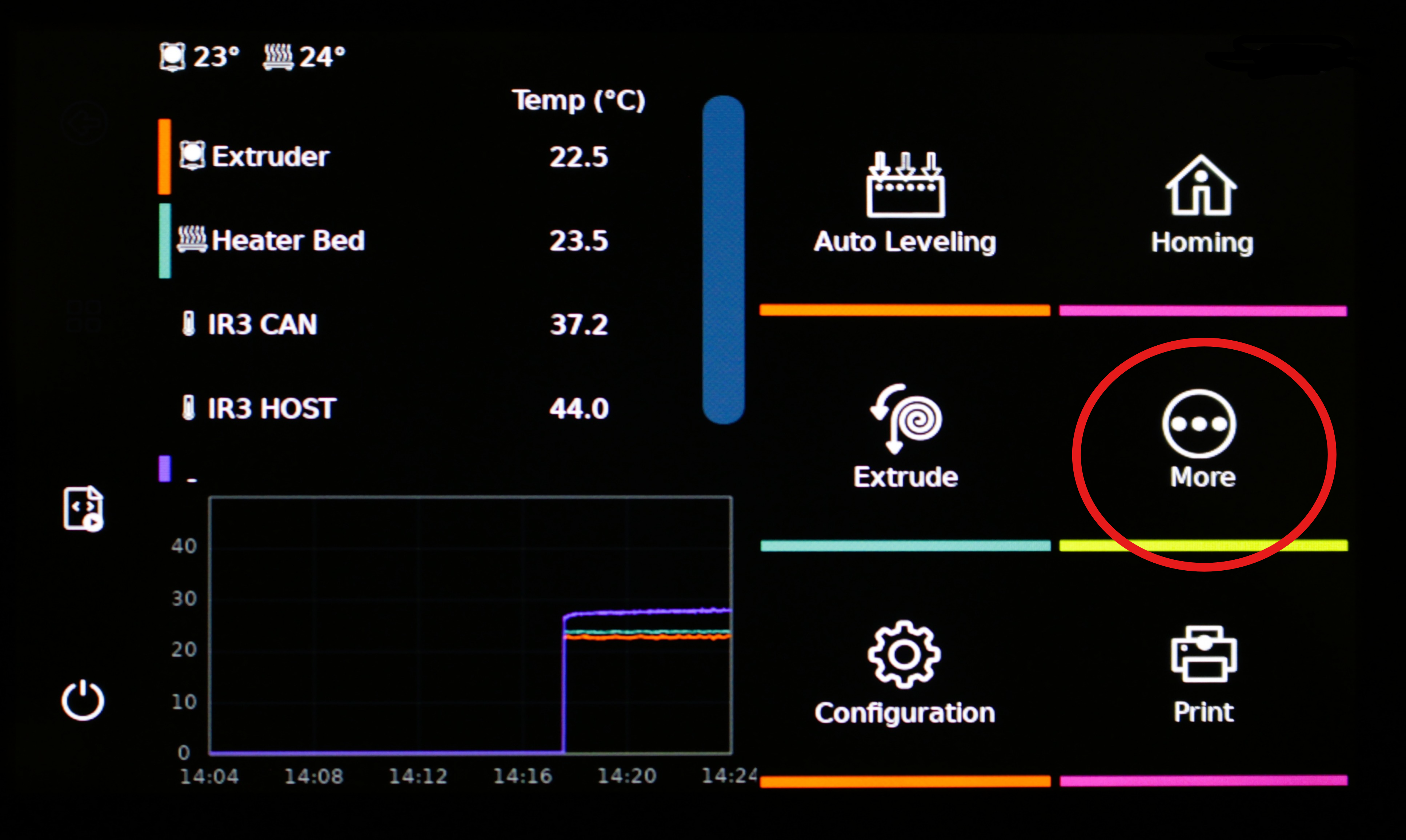
- Click on Move
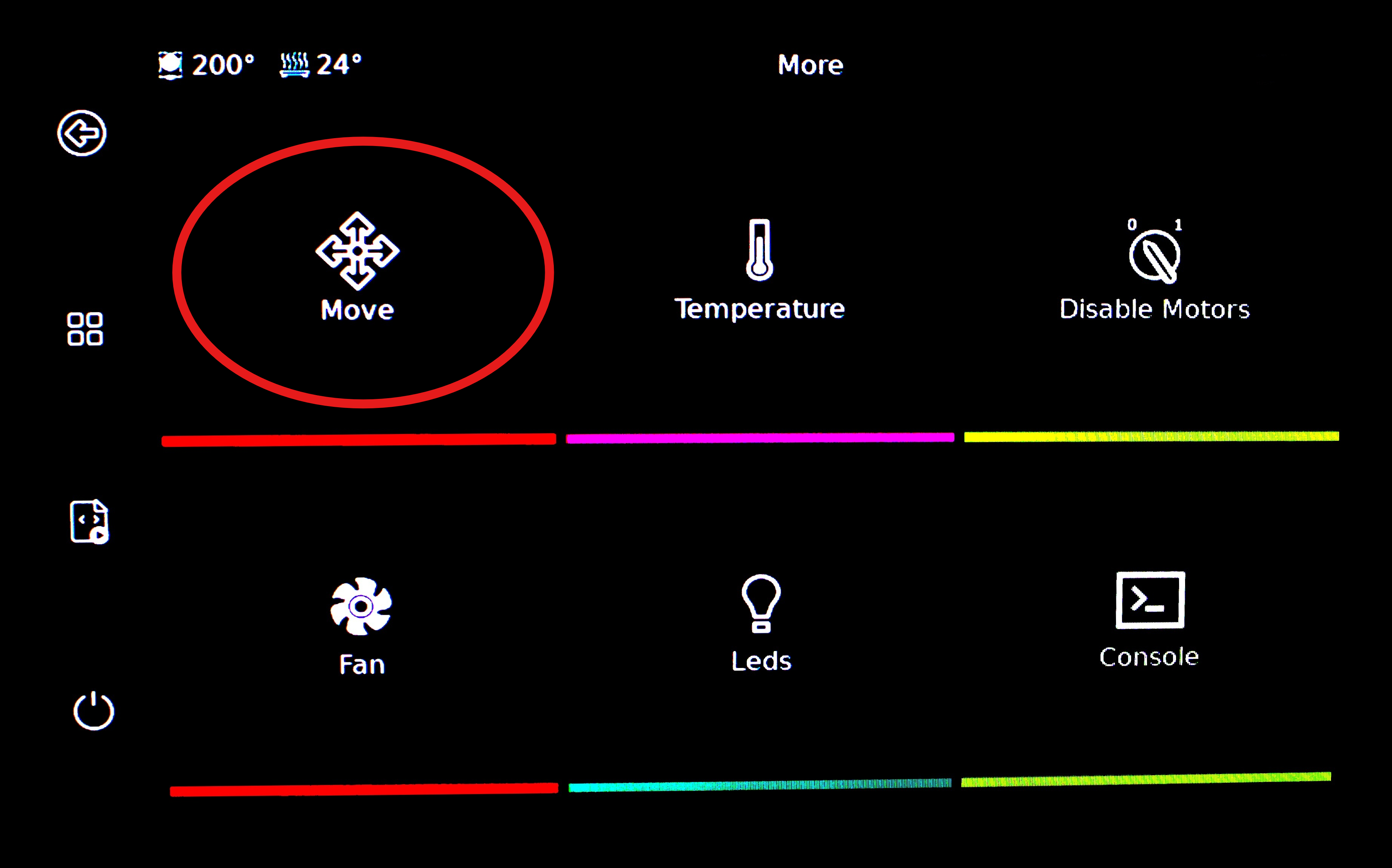
- Click on Home
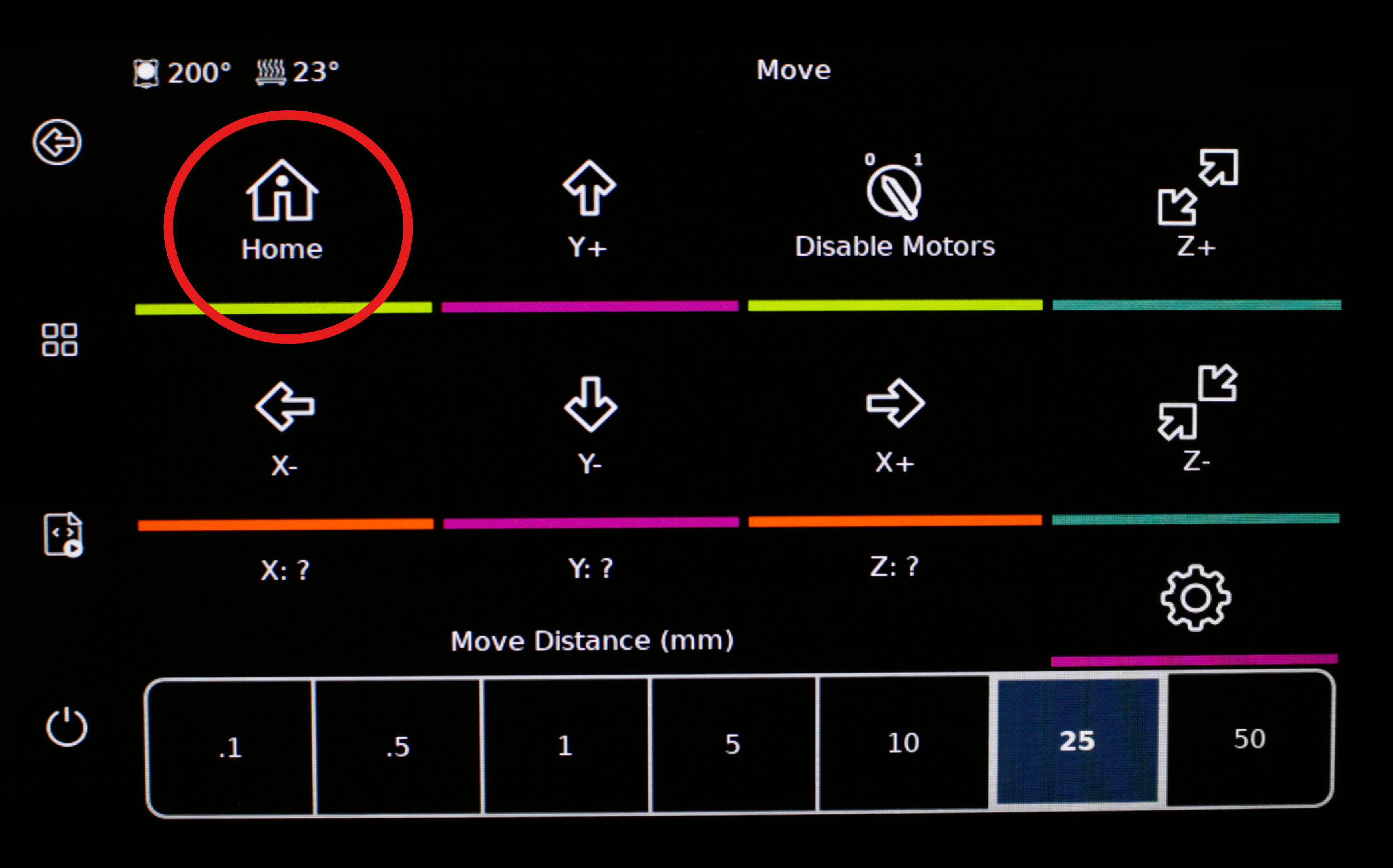
- Click on Home All
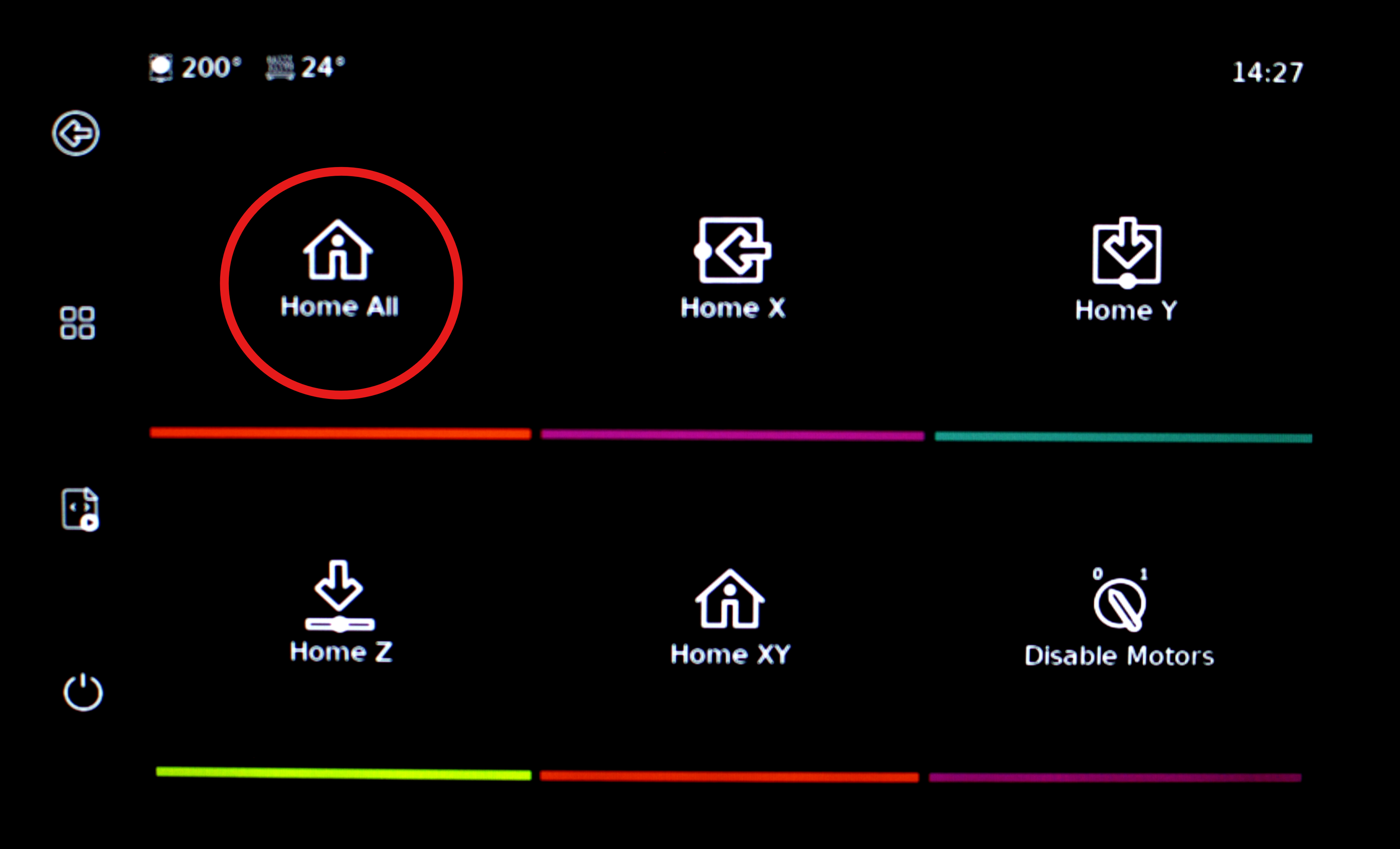
- Click on the back button

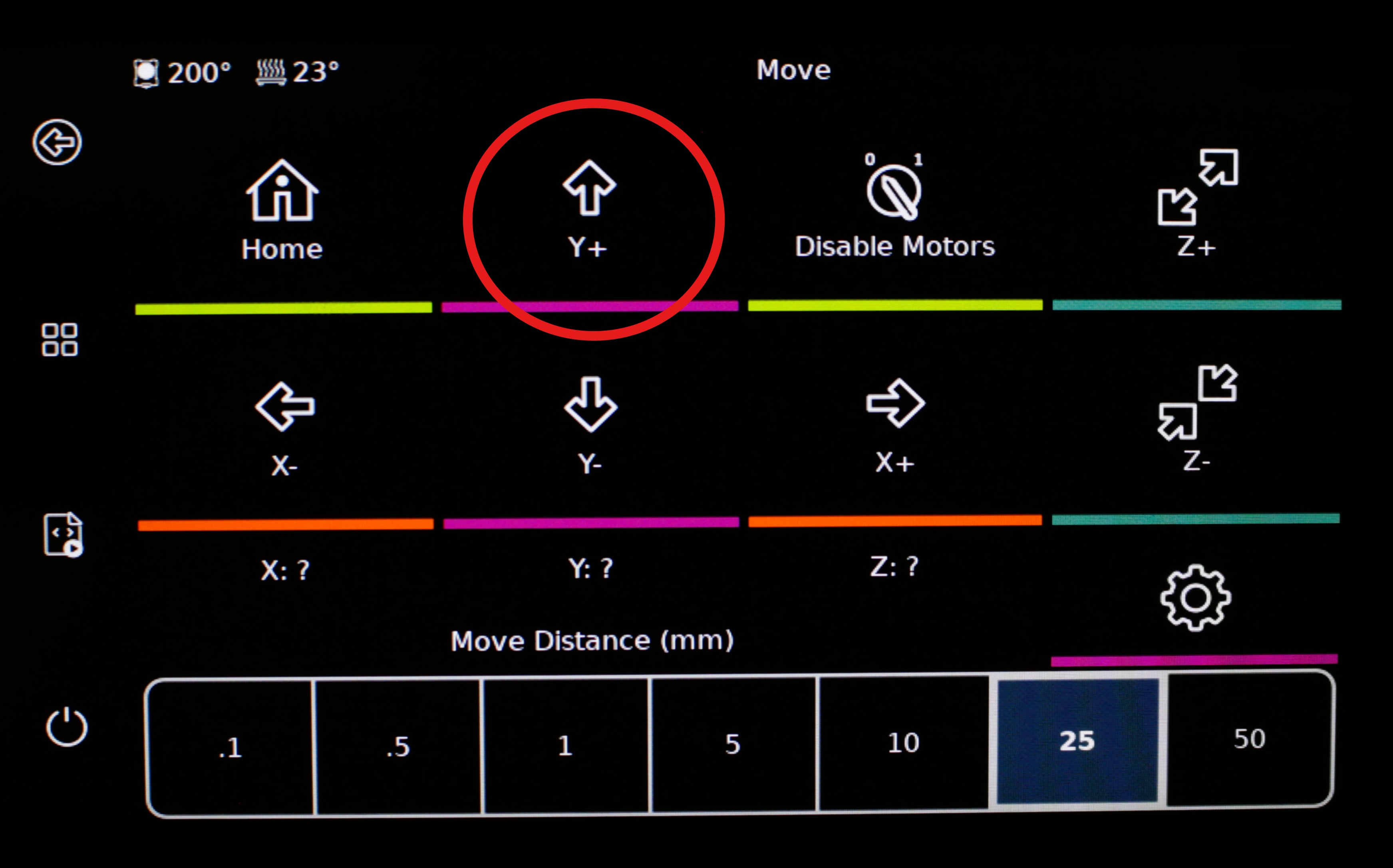
3. Move the extruder up
By going back to the Move menu. You can click on Y+ to move the extruder up to make room to clean the nozzle.
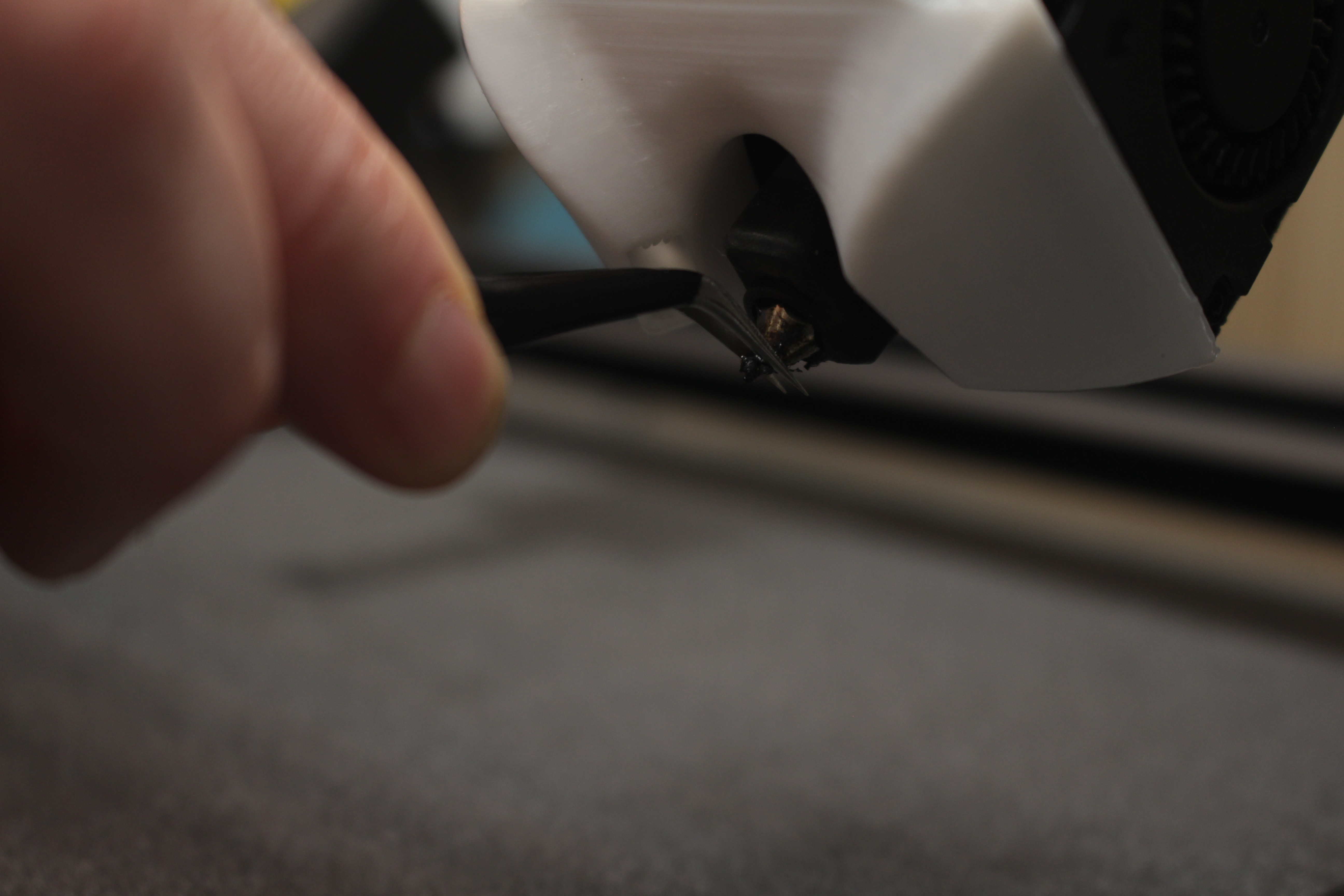
4. Clean the Nozzle.
HOT NOZZLE
Carefull: The nozzle is hot
We move the device up and down and remove all material that should not be on the nozzle.
5. Set the Temperature back to 0.
Tap on the temperature behind "Extruder", enter 0 and confirm with the checkmark.